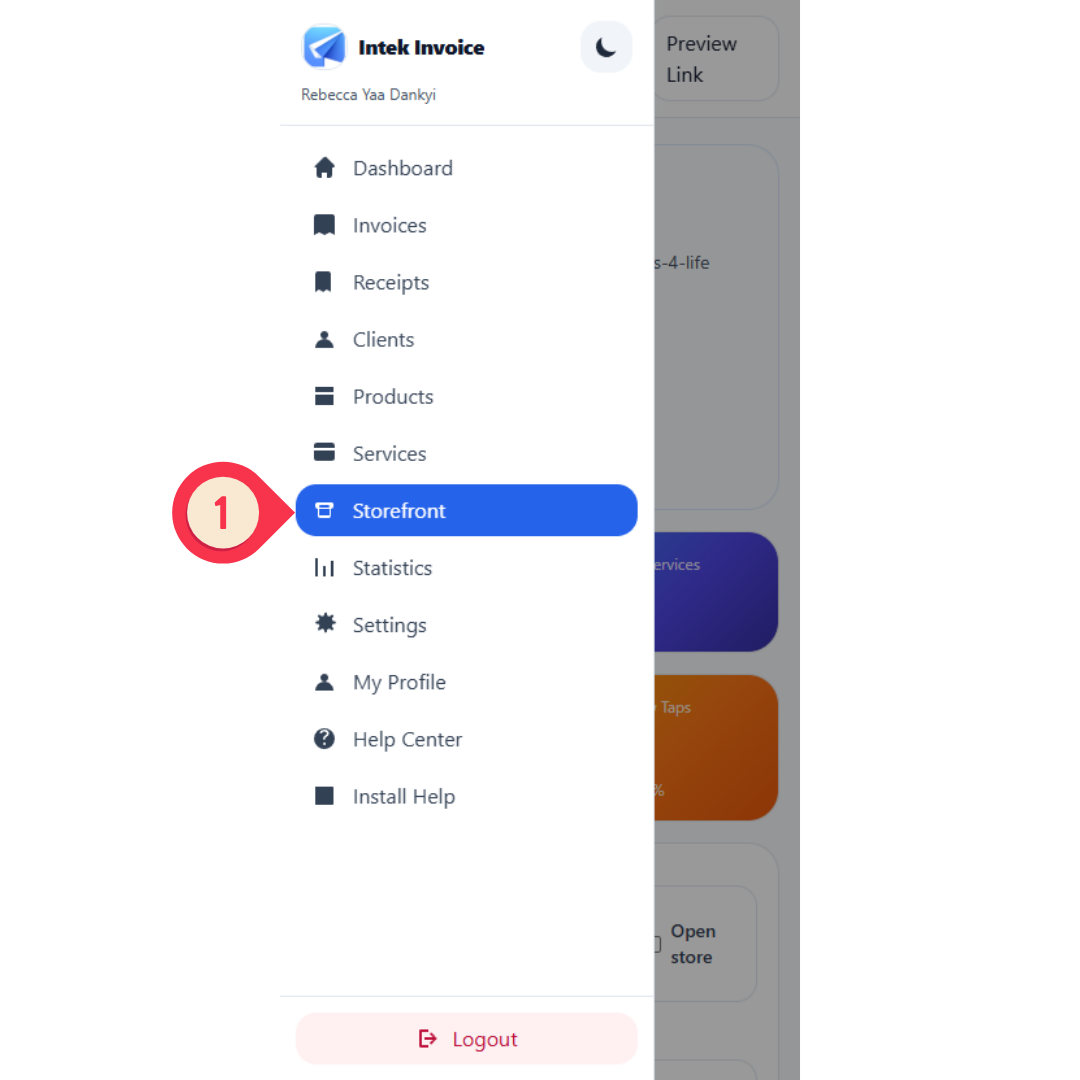
Open the Storefront page from the menu
Start by opening the sidebar menu and choosing the Storefront section.
Follow the screenshots below to open the Storefront page, control whether buyers can access it, copy your public link, and understand your storefront analytics.
Start by opening the sidebar menu and choosing the Storefront section.
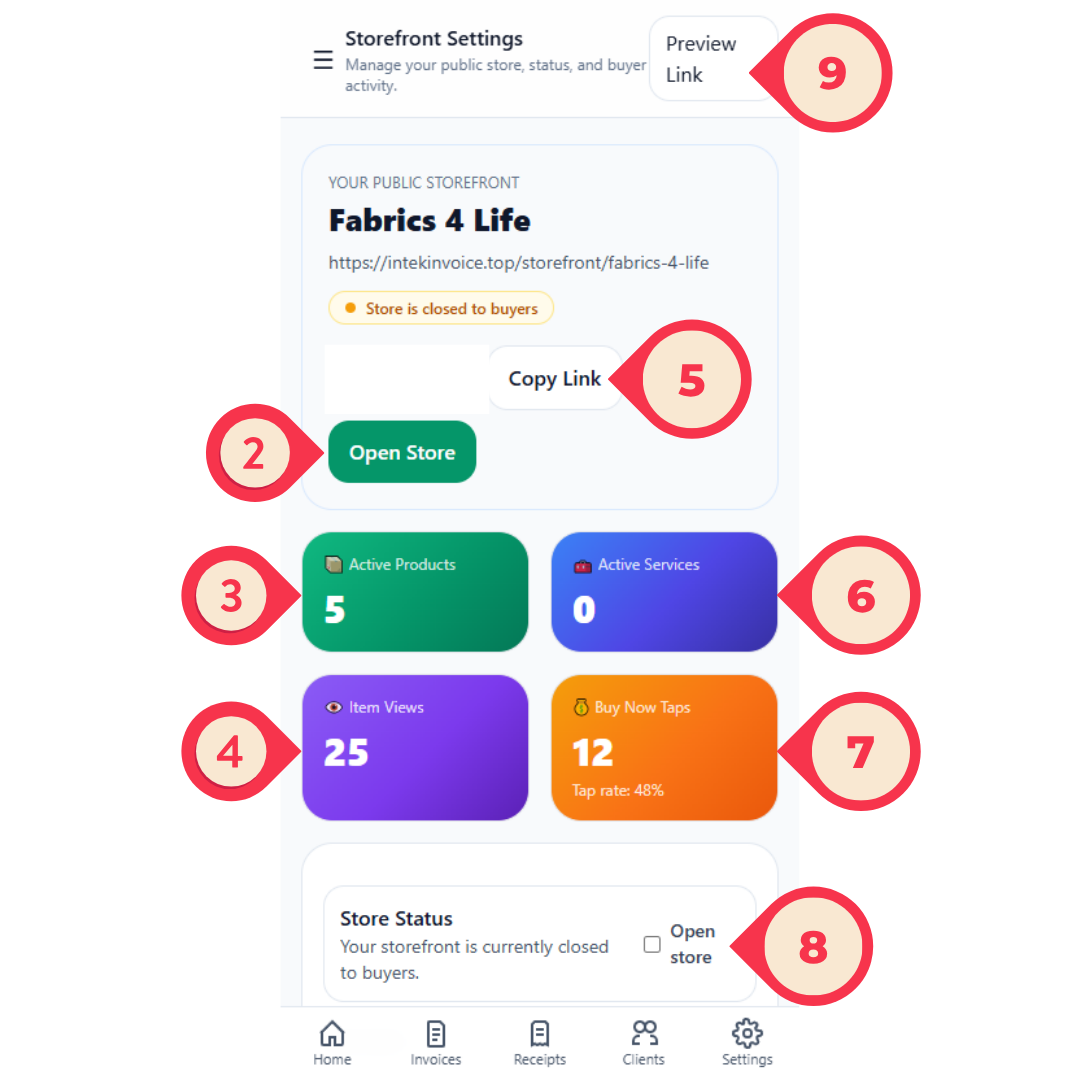
The top part of the Storefront Settings page shows your store link, status, quick actions, and summary cards.
You can customize the closed-store message, preview the public page, and save your storefront settings.
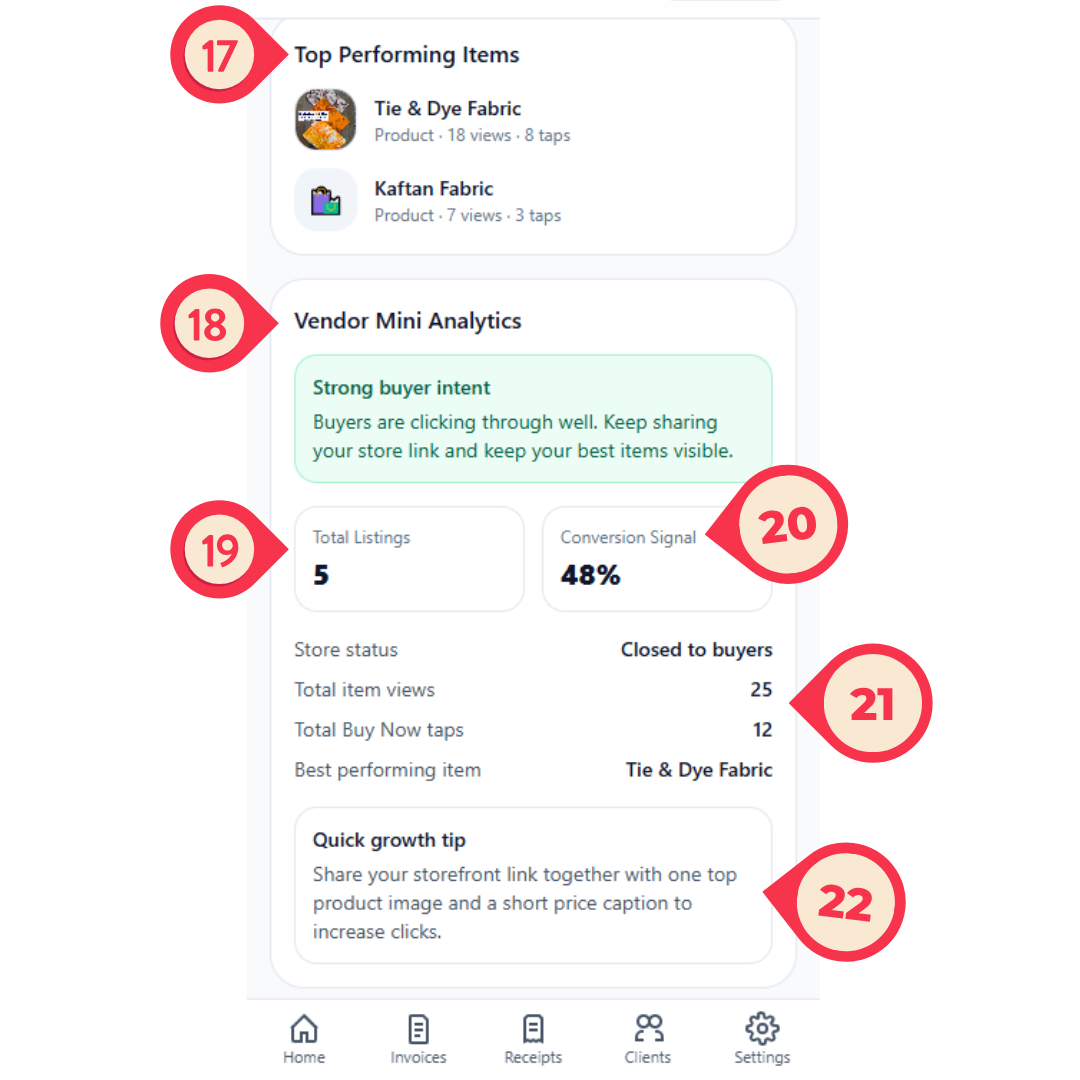
The lower part of the page helps you understand what items are performing best and whether your store is attracting buyer interest.